
The NBC App - Stream TV Shows
NBCUniversal Media, LLCEntertainment
4.249.09K Reviews
- Version
- 9.25.3
- Installs
- 10.00M
- Age Rating
- Teen
Screenshots
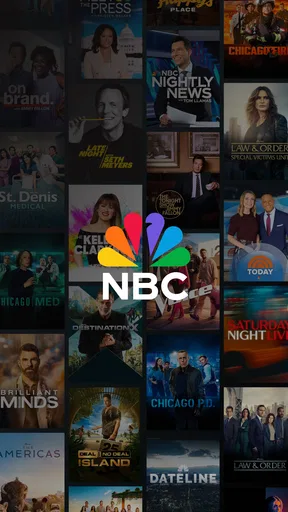
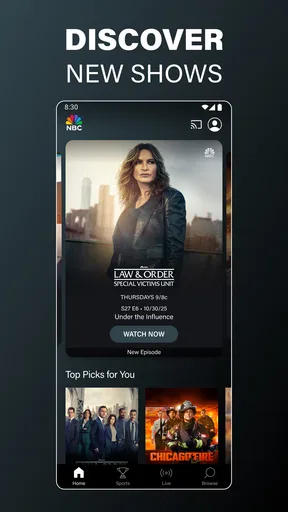
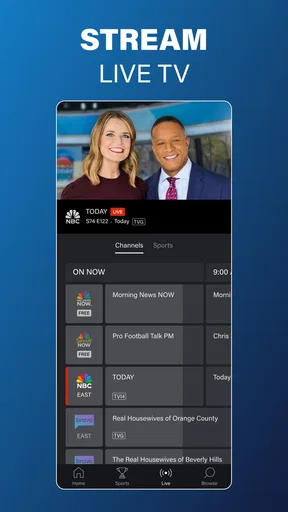
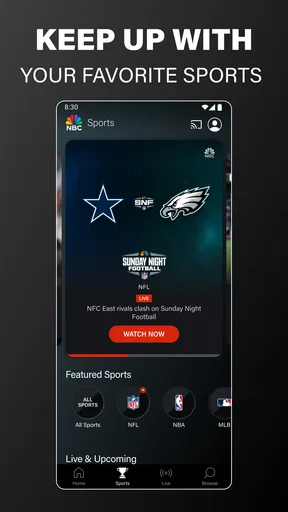
Our Review of The NBC App - Stream TV Shows
 Analysis by Appyee
I reach for The NBC App when I want to follow NBC programming without planning my evening around a television schedule. Its clearest strength is the mix of current episodes and live viewing: it can serve as a catch-up stop for a show such as The Voice, or as a way to tune in when a live event matters. That focus makes it more useful to someone who already wants NBC content than to someone searching for an all-purpose streaming library.
Why live viewing changes the experience
On-demand episodes and live television solve different problems. With an episode, I can choose when to watch; with a live stream, I can join a broadcast while it is happening instead of waiting to find it elsewhere later. That distinction matters most for programming whose appeal depends on sharing the moment, whether that is a competition show or a game. The app’s live option gives the NBC audience a practical alternative to turning on a television, though it does not make the app a universal replacement for a full TV package.
I would treat live streaming as a reason to keep the app handy, not as a guarantee that every viewer can watch every broadcast in every circumstance. Access can depend on the program and viewing arrangements, and some episodes ask for a TV-provider sign-in. If I am installing it mainly for one particular event, I would check that the event is available to me before relying on the app as my only way to watch.
How I would use it during an ordinary week
My most realistic routine would be to open the app after dinner, look for a recent episode I missed, and save a title I want to return to rather than spend the evening browsing. If a live broadcast is coming up, I would use the app when I am away from the living-room television but still have a suitable connection and a screen nearby. That is a modest convenience, but it is the kind that can make a busy week feel less tied to a fixed schedule.
A useful habit is to separate “watch now” from “watch later.” The live stream is for a broadcast I want to join in real time; an episode or watchlist is better when I need flexibility. Thinking about those two jobs before opening the app also helps avoid treating it like a huge general catalogue. I find the experience most satisfying when I already have an NBC show or event in mind.
What to check before relying on a stream
Live video is more demanding than browsing a programme page, so I would make sure the connection is dependable before settling in for an important broadcast. If I am using mobile data, I would be especially deliberate: streaming can use data, and the app’s quality adjustment is useful when I need to balance picture quality against connection conditions. I would rather make that choice before pressing play than discover midway through a programme that my connection is struggling.
It is also worth checking whether the viewing route fits your situation. Some content may be available without a provider sign-in, while other episodes require one. That means “free app” should not be read as “every programme is always available without any access conditions.” I would not install it expecting a complete substitute for a paid television subscription, but I would consider it a worthwhile companion if its NBC selection matches what I watch.
Where it sits beside other viewing options
Compared with a broad subscription streaming service, this app has a narrower centre of gravity: NBC programming and live NBC viewing are the main reasons to use it. A general-purpose service is usually the more sensible choice if I want one place for a wide mix of studios, genres, and exclusive libraries. In contrast, when the thing I want is tied to NBC, the dedicated app can be a more direct route than searching across several services.
It also differs from a conventional television setup. A TV provider may offer a wider selection of channels and a familiar live-TV experience, while this app is more convenient when I want NBC content on a mobile device. The trade-off is that provider authentication can still matter for some episodes, so the app does not necessarily remove the relationship between network viewing and a TV subscription. I see it as an extra viewing option rather than a complete replacement for cable or a broad streaming bundle.
For people who only watch one or two NBC programmes, the app’s focused approach can be an advantage: there is less reason to pay for a broader service just to follow a particular show, provided the episodes they want are accessible to them. For viewers who rarely watch NBC, that same focus is a reason to skip it. The deciding question is not whether it has a long list of features, but whether its live and on-demand NBC content fits into your actual routine.
First Impressions and User Interface
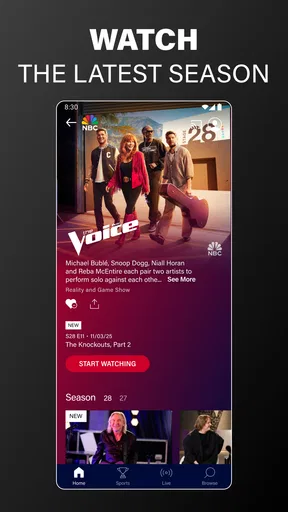
Upon downloading the NBC App, I was instantly greeted by a sleek and intuitive interface. You know that feeling when an app just feels right? That’s exactly what I experienced. Navigating through the app was a breeze, with everything from the latest episodes to classic series right at my fingertips.
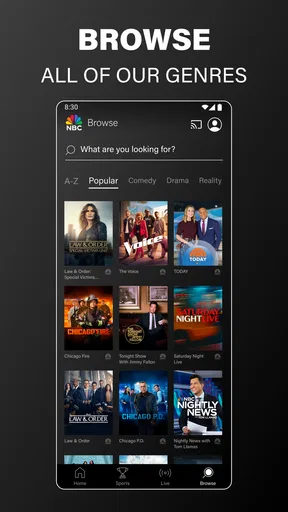
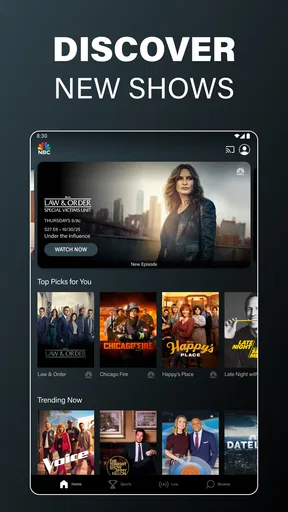
What really caught my eye was the home screen layout. It’s designed to highlight trending shows, making it super easy to discover new content. Plus, the search function is top-notch. I simply typed in my favorite show, and bam! All available episodes and related content were just a tap away.
Content Galore
If you’re a fan of NBC’s lineup, you’re in for a treat. The app offers a vast selection of TV shows, including hits like "This Is Us," "The Voice," and "Saturday Night Live." And it doesn’t stop there. You can also dive into their archive for some classic gems.
One feature that I found particularly useful is the personalized recommendations. The more you watch, the better the app becomes at suggesting shows tailored to your taste. It’s like having your own personal TV guide!
Streaming Quality and Performance
Now, let’s talk about what really matters in a streaming app: performance. I tested the app on both Wi-Fi and mobile data, and the streaming quality was consistently impressive. Videos loaded quickly, and I experienced minimal buffering, even during peak hours.
The app also allows you to adjust the streaming quality based on your internet speed, which is a nice touch, especially if you’re trying to conserve data.
Additional Features
Aside from streaming, the NBC App offers some cool extras. For instance, you can create a watchlist to keep track of shows you’re planning to watch. And if you’re into live TV, the app lets you stream NBC’s live broadcasts directly, which is perfect for catching live events or news broadcasts.
Another nifty feature is the ability to download episodes for offline viewing. This came in handy during a recent flight where I couldn’t rely on in-flight Wi-Fi.
Areas for Improvement
No app is perfect, and while the NBC App is fantastic, there are a couple of areas that could use some tweaking. Occasionally, I encountered minor glitches where the app would freeze, but a quick restart usually fixed the problem.
Additionally, while most content is free with ads, some episodes require you to log in with a TV provider. It’s not a deal-breaker, but something to keep in mind if you prefer completely free access.
Choosing it for the right reason
This is an entertainment app from NBCUniversal Media, LLC, and it is free to install. Its audience is rated Teen, a point parents may want to consider when deciding whether it is suitable for younger viewers. The app has a 4.2 average from around 137,000 ratings, and more than 10 million installs, so it has found a substantial audience; those figures tell me it is established, but they do not guarantee that every device or connection will behave the same way.
The current version is 9.25.3, and it supports devices running Android 7.0 or later. I would check compatibility before downloading on an older phone or tablet. Since the app is free, trying it is straightforward, but the practical value depends on whether the programmes you want are available and whether you are comfortable with ads or provider sign-in where required.
One small but useful decision is to use search when you already know what you want, and the home screen when you are open to browsing. That keeps discovery from turning into aimless scrolling. If I am trying to catch a particular episode, I would search first; if I have spare time and want to see what is being highlighted, I would browse. The app makes more sense as a focused destination than as a place to decide what kind of entertainment I want from scratch.
Offline viewing can help when a connection will be unreliable, but I would not assume that every title is available for download or that a saved episode removes other access conditions. I would check the individual programme in the app before travelling. That is a better plan than counting on offline access for a specific flight or commute and discovering too late that the episode I wanted is not ready to watch.
Who will get the most from it
I would recommend it first to people who already follow NBC shows, want a convenient way to catch up, or value the option of watching a live NBC broadcast on a mobile device. It can also suit a household where one person wants NBC content without making the television unavailable to everyone else. The watchlist is handy in that kind of routine: I can note what I intend to watch and come back when I have time, rather than relying on memory.
I would steer someone toward a broader streaming service if they want a large cross-network library, or toward a television package if their priority is a wider range of live channels. I would also skip this app if I do not watch NBC programming; a polished interface cannot make a narrow catalogue useful when its content is not what I want. For a viewer who does care about that catalogue, though, its combination of episode catch-up and live viewing gives it a clear purpose.
Final Thoughts
Overall, the NBC App is a must-have for any TV lover. It combines a user-friendly interface, a vast library of content, and reliable streaming performance into one neat package. Whether you’re binge-watching your favorite series or catching up on the latest episodes, this app has got you covered.
So, if you haven’t already, give the NBC App a try. It might just become your new go-to for all things TV. Happy streaming!
Verdict
Strengths of The NBC App - Stream TV Shows
- Wide variety of NBC shows available.
- User-friendly navigation interface.
- High-quality video streaming.
- Option to download shows for offline viewing.
- Live TV streaming capability.
Limitations of The NBC App - Stream TV Shows
- Limited content without a cable subscription.
- Frequent ads during free content viewing.
- App occasionally crashes on some devices.
- Requires stable internet for live streaming.
- Some shows have limited episodes available.
Other Releases by NBCUniversal Media, LLC
View All
NBC Sports
Sports3.6

Universal Studios Hollywood
Travel & Local3.3

Noticias Telemundo
News & Magazines4.5

Telemundo Puerto Rico
News & Magazines4.4
Similar Picks in This Category
View All
Google Play Games
Google LLC3.9

Netflix
Netflix, Inc.4.8

YouTube Kids
Google LLC4.2

Disney+
Disney4.4

Prime Video
Amazon Mobile LLC4.7

Steam
Valve Corporation3.2
Frequently Asked Questions
What types of content can I access with The NBC App?
The NBC App provides access to a wide range of content, including popular TV shows, live broadcasts, news, and sports events. Users can stream full episodes of current and past seasons of NBC shows. You can also watch live TV and stay updated with the latest news, making it a comprehensive entertainment platform.
Is there a cost associated with using The NBC App?
The NBC App is free to download and provides access to a variety of content at no cost. However, some features or shows may require a subscription or cable provider login. Premium content may be subject to in-app purchases, and users should be aware of any associated costs before accessing certain content.
Can I watch content offline on The NBC App?
Currently, The NBC App does not support offline viewing. You need an internet connection to stream content. This means you can enjoy your favorite shows wherever you have internet access, but you won't be able to download episodes for offline viewing at this time.
Are there any device compatibility issues with The NBC App?
The NBC App is compatible with most Android and iOS devices, including smartphones and tablets. It's also available on various streaming devices like Roku, Apple TV, and Amazon Fire TV. Always ensure your device is updated to the latest OS version for optimal performance and compatibility.
How frequently is content updated on The NBC App?
Content on The NBC App is updated regularly. New episodes of current shows are typically available shortly after airing on TV. Additionally, live broadcasts and news segments are updated in real-time. This ensures that users have access to the latest entertainment and information at their fingertips.
